
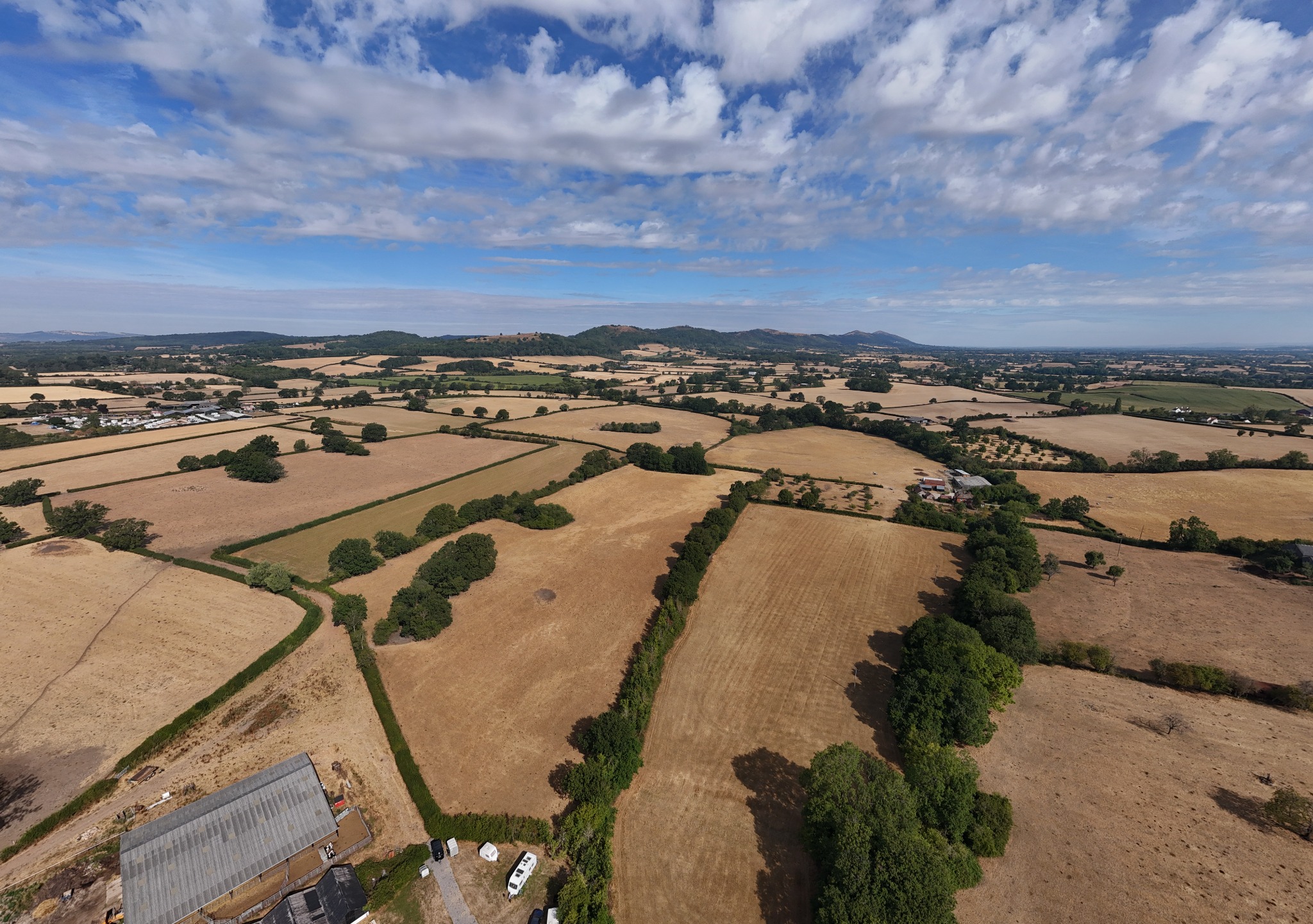
WHAT IS
AN ORBIT?
An orbit is when ZOOM flies around a subject while the camera keeps pointing towards it. Unlike a simple forward or sideways move, it reveals shape, scale and location as the background changes behind the subject.
Good centres include a lone tree, Vanilla, Torque, a church, castle, building, monument, rock formation or—where legal and safe—a person.
SOMETHING INTERESTING MUST BE IN THE MIDDLE. Orbiting an empty patch of grass achieves little beyond giving the grass a surprisingly dramatic afternoon.
KEEP THE SUBJECT. MOVE THE WORLD.
The aircraft travels sideways around the circle while yaw constantly turns the camera back towards the subject.
LET ZOOM FLY
THE CIRCLE.
Select the subject → open FocusTrack → choose Point of Interest → choose direction and speed → monitor the complete flight carefully.
Start with a slow 60–120° partial orbit. That may contain the strongest background; a complete 360° is not automatically a better shot.
DON’T COLLECT ORBITS. COLLECT SHOTS.
POI MAKES THE CIRCLE. SPOTLIGHT FREES THE PILOT.
ZOOM automatically follows a predictable circle at the chosen direction and speed.
I fly the path while Spotlight keeps the camera aimed: rise, descend, widen, close or turn the orbit into a reveal.
TWO STICKS. ONE SMOOTH ARC.
PRESSURE, NOT MOVEMENT. Small stick pressure usually produces smoother cinematography than large control inputs.
LEARN THE QUARTERS BEFORE THE CIRCLE.
- 01 Fly 9 o’clock → 12 o’clock.
- 02 Fly 12 o’clock → 3 o’clock.
- 03 Join both movements into one calm half-orbit.
NEAR MOVES FAST. FAR MOVES SLOW.
Objects close to the camera appear to move faster than objects far away. Look sideways from a moving car: the hedge flashes past while the distant hills barely move. ZOOM can turn that everyday effect into cinematic depth.
BUILD THE
DEPTH.
Tree → Vanilla → Hills
Wall → Church → Skyline
Rock → Torque → Forest
Branch → Monument → Mountains
THE CINEMATIC SWEET SPOT.
Nearby trees sweep across the frame, Vanilla remains the visual anchor and the hills drift gently behind her.
DON’T AUTOMATICALLY
FLY HIGH.
Everything appears distant. Relative movement is small and the image can feel flatter.
Strong foreground, more relative movement and more depth—while always remaining safely clear of obstacles, people and legal restrictions.
DON’T FLY HIGH JUST BECAUSE YOU OWN A DRONE.
LET THE SUBJECT ARRIVE.
LET THE FOREGROUND SKIM THE FRAME.
Use a tree, wall, rock or branch as the curtain. Keep it near the edge so it provides movement without taking over. The same principle works for campervans, buildings, vehicles, monuments and landscapes.
No cinematic shot is improved by finishing with ZOOM hanging upside down in an oak tree.
A RELIABLE
STARTING POINT.
These are starting points, not commandments carved into the controller. Light, subject and intention still make the final decision.
Plenty of detail and room for a careful crop.
A natural starting point for a UK 25 fps workflow.
A useful target where the light and filter allow it.
Keeps noise down and the landscape clean.
Prevents colour shifting as ZOOM circles the light.
Normal for speed; D-Log M when I intend to grade.
Can help reach a slower shutter in bright daylight.
LOOK SLIGHTLY DOWN.
Try roughly −10° to −20° when the composition needs it. The number is a guide; the frame matters more.
SLOWER IS OFTEN BETTER.
A calm aircraft lets the background provide the motion. Aggressive inputs make the shot feel frantic.
WHAT WILL APPEAR BEHIND MY SUBJECT?
Check the light, landscape, sun position and every object that will rotate into the background before choosing clockwise or anticlockwise.
LIGHT CHANGES
AROUND THE CIRCLE.
An orbit can move from front light through sculpting side light into backlight or silhouette. Sunrise and sunset make that change especially dramatic.
THE SHOT WAS LOVELY
UNTIL IT WASN’T.
TOO FAST
The background races, corrections become obvious and the shot feels frantic.
WALK THE ORBIT
WITH YOUR EYES.
ZOOM may be travelling sideways while I’m concentrating on the subject. Obstacle sensing helps, but I still inspect the entire intended path and maintain direct sight of the aircraft.
- 🌳 Branches
- ⚡ Wires
- 💡 Lamp posts
- 🏠 Roofs
- 🧱 Walls
- 🚗 Vehicles
- 👥 People
- 🦅 Wildlife
THE BEST ORBIT OFTEN ISN’T ABOUT THE SUBJECT.
IT’S ABOUT WHAT HAPPENS BEHIND THE SUBJECT.
The magic moment may be a church tower appearing, a hill emerging, the sun entering frame, a road aligning, two trees separating or a landscape finally revealing itself.
🚐 VANILLA
CINEMATIC ORBIT.
01 · SET
Park Vanilla somewhere scenic. Find foreground interest and establish a safe orbit path.
02 · FRAME
Launch ZOOM, stay low enough for depth where appropriate and safe, then frame Vanilla strongly.
03 · MOVE
Begin before the usable section, orbit smoothly and let nearby scenery create parallax.
04 · HOLD
Let the landscape rotate behind Vanilla and keep recording just beyond the strongest composition.
- Park Vanilla somewhere scenic.
- Find foreground interest.
- Launch ZOOM.
- Establish a safe orbit path.
- Stay low enough for foreground movement where appropriate and safe.
- Frame Vanilla strongly.
- Begin the movement before the usable section of footage.
- Orbit smoothly.
- Let nearby scenery provide parallax.
- Allow the landscape to rotate behind Vanilla.
- Continue recording briefly after the strongest composition.
THE THREE-ORBIT
CHALLENGE.
Film the same safe, isolated subject three ways. Then ask which feels deepest, which says most about the location and which looks least like ordinary drone footage.
🏆 ORBIT + ASCEND
+ GIMBAL.
A gentle rising orbit gradually reveals more landscape behind the subject. Combine three tiny inputs; composition must remain settled while the aircraft spirals upward.
Tiny inputs. Executed badly, it looks like somebody has dropped the controller down the stairs.
🎥 THE CINEMATIC
SWEET SPOT.
- Subject
- Strong
- Height
- Relatively low where safe
- Radius
- Comfortably wide
- Speed
- Slow
- Foreground
- Close enough to create movement
- Background
- Distant
- Camera
- 4K / 25 fps
- Shutter
- Around 1/50 where practical
- White balance
- Locked
- Movement
- Established before the usable footage
- Clip length
- Roughly 6–10 strong seconds
DON’T MOVE THE DRONE JUST BECAUSE YOU CAN.
MOVE IT BECAUSE THE MOVEMENT REVEALS SOMETHING.
🎥 WATCH IT
IN ACTION.
Videos load only when you choose them. Watch the movement, not merely the scenery.
DJI MINI 4 PRO — FOCUSTRACK
DJI’s official Mini 4 Pro tutorials cover FocusTrack, Spotlight and Point of Interest.
OPEN VIDEO DIRECTLY ↗POINT OF INTEREST FOR CINEMATIC FOOTAGE
A practical Mini 4 Pro demonstration of POI setup, direction and controlled orbit speed.
OPEN VIDEO DIRECTLY ↗POINT OF INTEREST — COMPLETE GUIDE
A detailed guide to building a cleaner orbit and using the moving background as part of the shot.
OPEN VIDEO DIRECTLY ↗ORBIT IS THE MOVEMENT.
PARALLAX IS THE MAGIC CREATED BY THE MOVEMENT.
Once I see a landscape as foreground, subject and background layers, the whole approach to drone cinematography changes.
🚁 FLY SMOOTH.FIND THE LAYERS.
MOVE THE WORLD.